This the html code …..
<div class = “l_list”> <ul> <li><a href=”signup.php”>Createaccount</a></li> <li><a href=”#”>help</a> </li> <li><a href=”#”>Contact</a></li> </ul> </div>
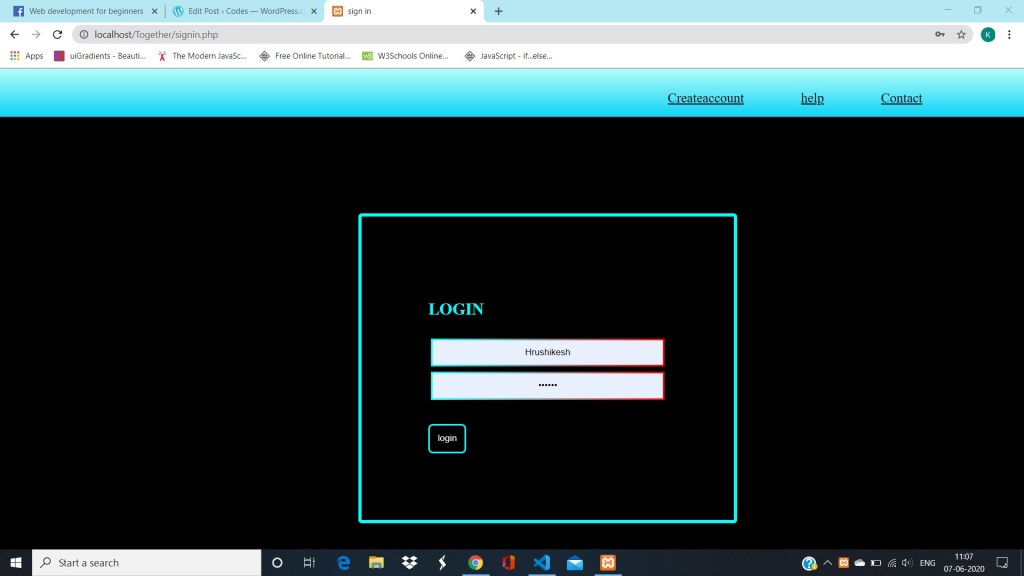
add this css to look like this
.l_list { margin: 0; padding: 0; background-image: -webkit-linear-gradient(#B2FEFA, #0ED2F7); position: absolute; top: 0%; height: 10%; width: 100%; } .l_list ul { position: absolute; left: 60%; top: 1%; } .l_list ul li { list-style: none; display: inline-block; padding: 5px; margin: 5px; left: 50%; } .l_list ul li a { margin: 10px; color: black; width: 60px; padding: 20px; font-size: 20px; } .l_list ul li a:hover { background-color: black; color: #00FFFF; }
and the reasult is…..
Thanks for visiting !!!!

